Browser extension for Chrome and Firefox
Knotlog Sailing Weather
Wind chart and best sailing windows for the place you are looking at, plus voyage planning with stops and checklists.
Knotlog is a planning aid, not a navigation or safety instrument.
What it does
Sailing weather here
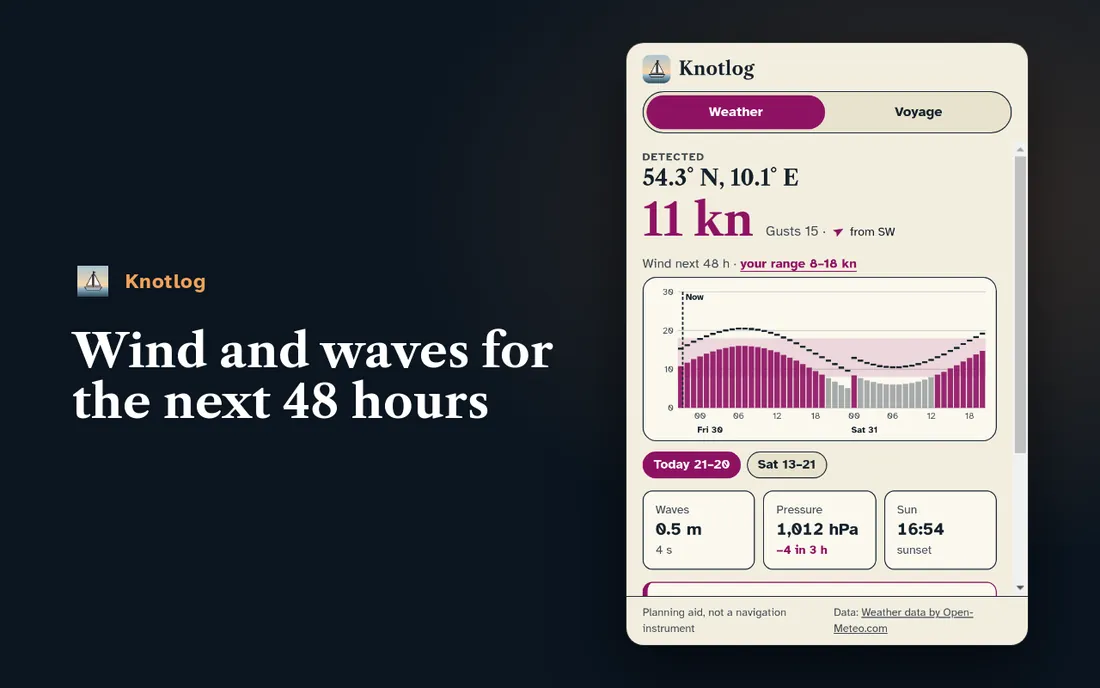
Open a map page, for example Windy or Google Maps. The extension detects the place and shows the next 48 hours: wind in knots, gusts, direction, waves and sunset as a chart. Pressure warns you when it drops fast.
What it does
Your wind range
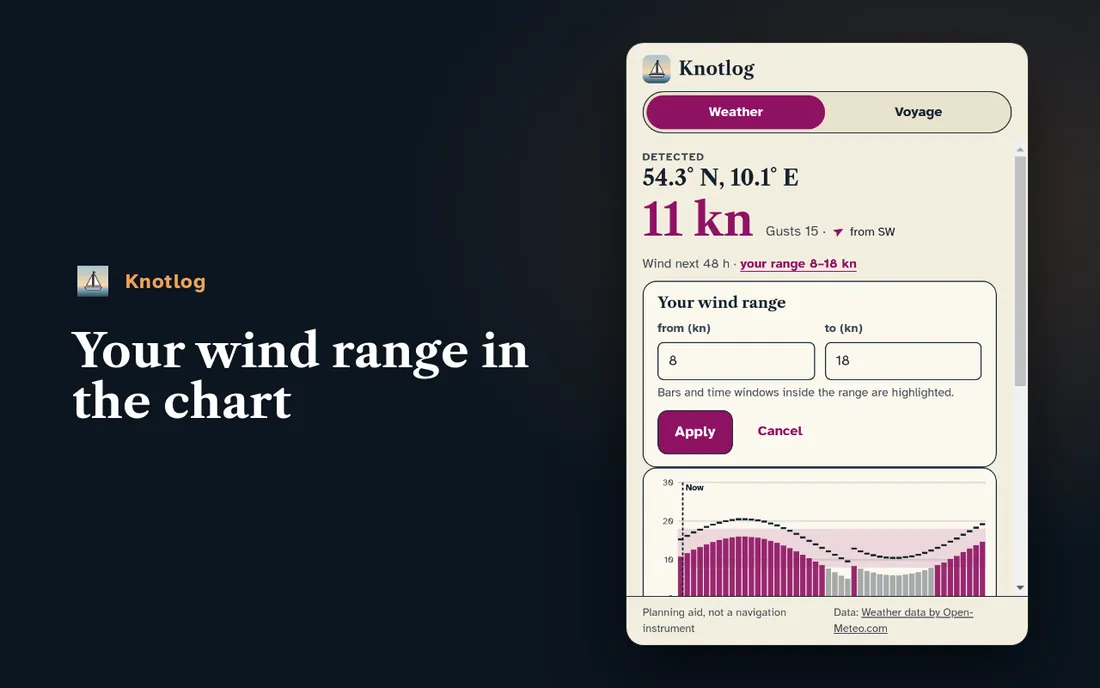
Set the wind you like to sail in, for example 8 to 18 knots. Matching time windows are marked in the chart, so you see at a glance when it is worth it.
What it does
Voyage planning in the side panel
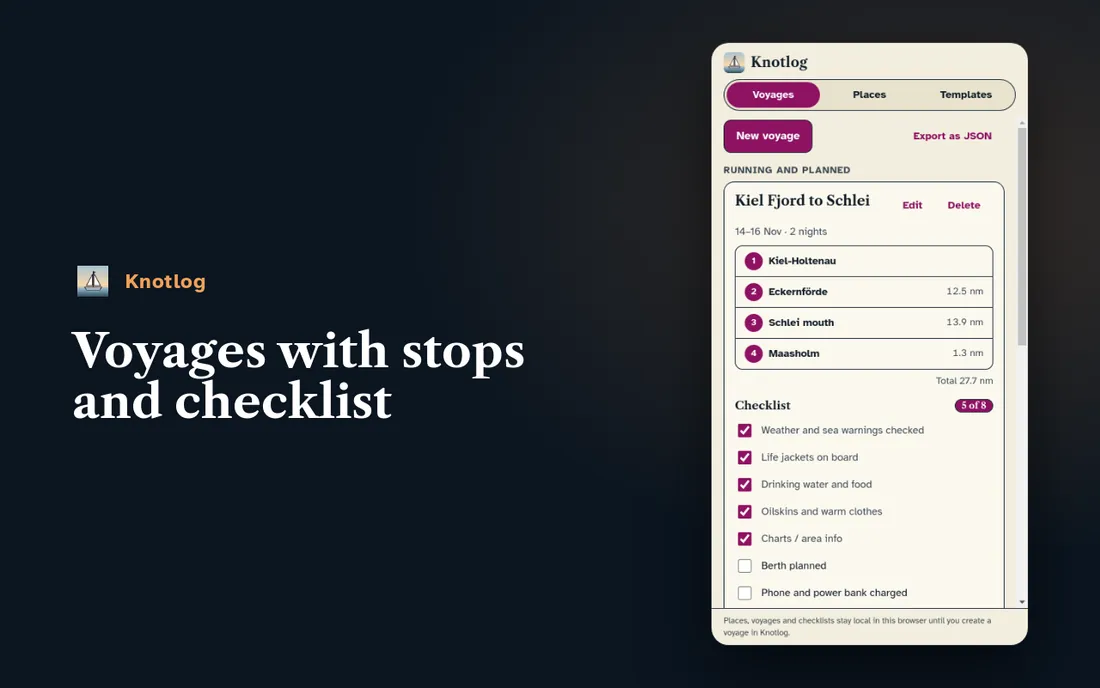
Collect harbours, anchorages and areas with a source link, plan voyages with stops and tick off checklists. Export as JSON at any time.
How it works
Three steps, then the weather sits next to the map.
Click "Add" in the Chrome Web Store or on Firefox Add-ons.
Open the puzzle icon in the browser bar and pin the extension so it is always at hand.
Open a map, for example Windy or Google Maps, and click the icon. The side panel shows weather and planning for the place.
Privacy
It reads a page only after your click.
- Only after the click. The extension reads a page only when you click its icon. Before that it sees nothing.
- Weather through our server. Only the position, rounded to 0.1° (about 11 km), goes to knotlog.app. The weather comes from there, not straight from the weather service.
- Local until pairing. Places, voyages and checklists stay in your browser until you deliberately pair them with your account.
- No ads, no sale of data. No trackers, no profiles.
Pairing
Optional: sync your planning with your account
Pair the extension with your account and a planned voyage becomes a voyage in Knotlog with one click on "Create as voyage in Knotlog". Stops and checklist show up in your logbook, and we sync harbours and anchorages.
Pairing is voluntary. Everything works without it, the data then stays local in the browser.
Questions
Short answers
Can I navigate with Knotlog?
No. Knotlog is a planning aid, not a navigation instrument. On board, rely on charts, weather services and official warnings.
What does the extension cost?
Nothing. Weather and planning are free, and there are no ads.
What data leaves my browser?
Only the rounded position for the weather. Places, voyages and checklists stay local until you pair them.
Where does the weather come from?
From Open-Meteo, through our server. The values are model forecasts and can differ from the weather on site.